Modèle Vidéo · gratuit · sans inscription

Sora
générateur de prompt.

Les prompts Sora se lisent comme la courte description d’un plan dans un scénario : la scène en prose, puis la mise en image — type de plan, mouvement de caméra, objectif, lumière et ambiance — et enfin les actions et les dialogues.

Le générateur organise vos sélections dans cet ordre : les réglages utilisés pour vos images fixes deviennent un brief prêt à tourner.

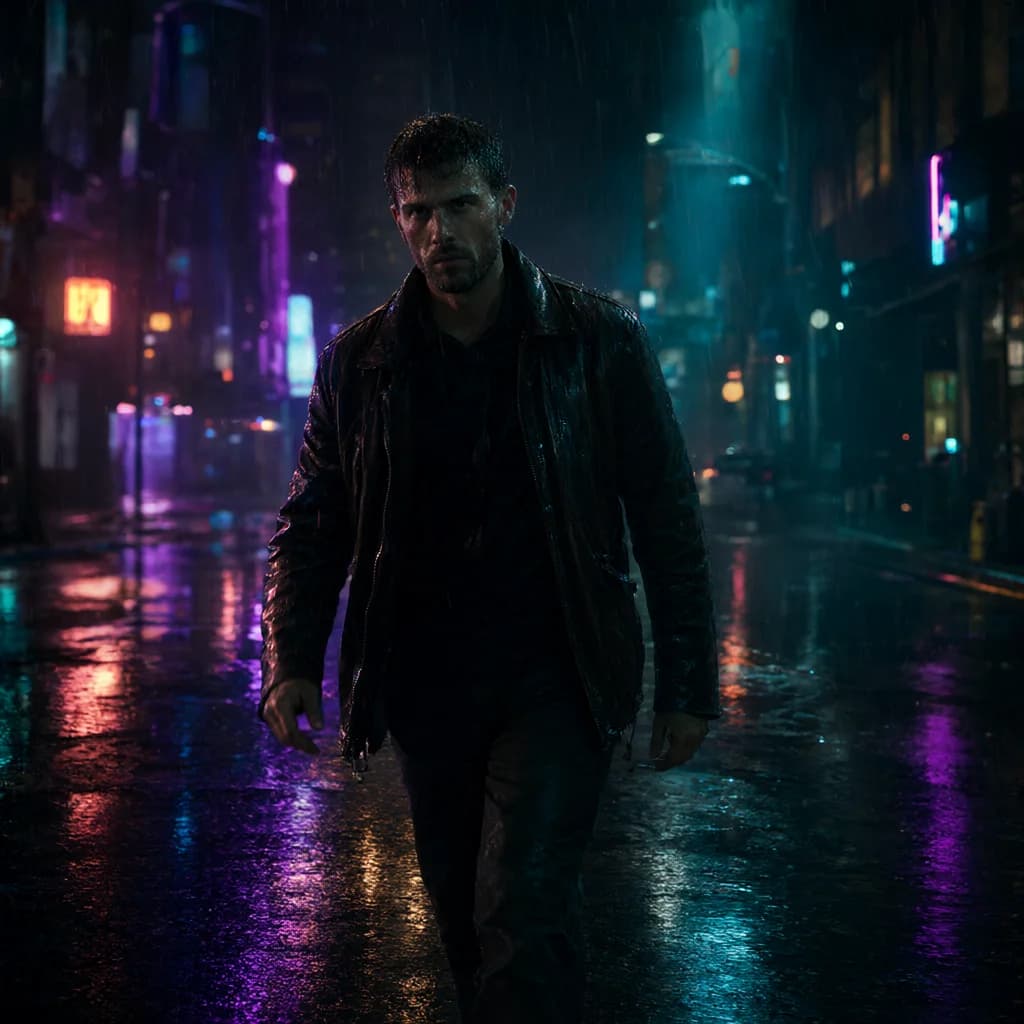
Exemple de résultatMarche dans une rue aux néons
Horizontal 16:9 cinematic video. An original fictional adult man in his 30s on a city street at night, rainy, wet reflections. He wears a leather jacket outfit. Actions: - He walks toward the camera through the rain, hands in his jacket pockets and water dripping from his hair, slows as a neon sign flickers beside him. - Then glances back over his shoulder. - Throughout: natural blinking and breathing, rain falling steadily, background lights glowing and flickering softly. Cinematography: Camera: tracking shot following the subject, waist-up medium framing, 35mm lens Lighting: Neon colored lighting, mixed warm and cool. Mood: mysterious, edgy Look: Photorealistic, cyberpunk, teal and orange cinematic grade, teal, neon purple and black palette, natural real-time pacing. Background sound: Rain on pavement, distant traffic, a low neon hum. Avoid: CGI, 3D render, illustration, anime, plastic skin, over-smoothed face, text, captions, watermarks, logos, UI overlays, extra fingers, deformed hands, distorted anatomy, heavy studio lighting, jittery motion, morphing, frame flicker, sudden cuts, warped face.
163 motsaspect_ratio: 16:9duration: 5 seconds

Comment écrire de meilleurs prompts Sora.

01

Un plan par prompt

Décrivez un seul plan continu. Plusieurs scènes dans un même prompt ont tendance à se mélanger.

02

Découpez l’action en temps

Écrivez l’action en étapes courtes ; le générateur transforme chaque phrase en puce dans le bloc Actions.

03

Gardez un style cohérent

Choisissez un seul genre et un seul étalonnage pour donner au clip un rendu homogène.

Exemples Sora.

Tous les exemples →
FAQ Sora.

Où vont les négatifs pour Sora ?+

Sora n’a pas de champ négatif séparé : le générateur ajoute une courte ligne « Avoid: » à la fin.

Puis-je régler la durée ?+

Oui, choisissez-la dans Mouvement › Durée ; elle est indiquée comme paramètre séparé.